Technologies
Sketch

Sketch is a vector-based design application developed exclusively for macOS, first released in 2010 by the Dutch company Bohemian Coding. It is purpose-built for designing user interfaces and user experiences of digital products — including websites, mobile applications, and web dashboards — rather than for print or general illustration. Unlike broader design tools, Sketch introduced a workspace centered on artboards, reusable symbols, and a component-driven workflow that closely mirrors how developers think about building interfaces.
Because it is native to macOS, Sketch is tightly integrated with the Apple ecosystem and leverages platform-level performance optimizations that browser-based tools cannot replicate in the same way. Its file format (.sketch) is open and well-documented, which has enabled a broad ecosystem of third-party plugins and integrations with developer handoff tools such as Zeplin and Avocode. Sketch is widely used by product designers, UI designers, and UX teams in professional software development workflows, making it one of the most established tools in the digital product design space.
Sketch was created by the Dutch company Bohemian Coding and first released in 2010. It was designed from the ground up as a dedicated interface and graphic design tool for macOS, at a time when most designers relied on Adobe Photoshop or Illustrator for digital work. Those applications had evolved from print and photo-editing workflows and carried significant overhead when applied to screen-based UI design. Sketch positioned itself as a lightweight, purpose-built alternative focused specifically on the needs of digital product designers.
Throughout the early 2010s, Sketch gained rapid adoption within the web and mobile design community, eventually displacing Photoshop as the dominant tool for UI design in many professional workflows. Its vector-based approach, artboard model, and symbol system addressed pain points that designers had long worked around in general-purpose tools. By the mid-2010s, it had become a de facto standard in product and interaction design, and its file format had spawned an ecosystem of third-party plugins and handoff tools built around it.
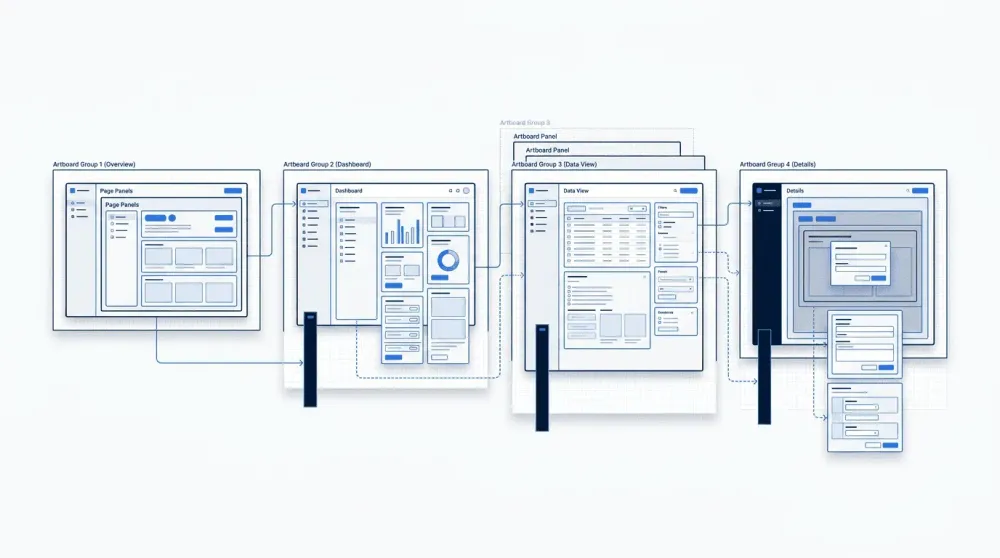
Sketch organizes design work around an infinite canvas divided into artboards—fixed-size frames that represent individual screens, states, or components. Designers group related artboards onto named Pages, keeping a mobile onboarding flow separate from a settings screen or a component library. This hierarchy makes large projects navigable: a team member can open the file and immediately understand how screens relate to one another without scrolling through a single undifferentiated canvas.
At the heart of Sketch is its vector editing engine, which allows designers to create scalable shapes and paths that render cleanly at any resolution. Work is organized into artboards — fixed-size frames that represent individual screens or design states, making it straightforward to lay out an entire user flow within a single document page. Each artboard can be sized to match a common device dimension or set to custom dimensions, giving teams the flexibility to design for multiple targets side by side.
Two features central to maintaining consistency across a project are symbols and shared styles. Symbols are reusable component instances — define a button or navigation bar once, and any change to the master symbol propagates automatically to every instance in the document. Shared styles apply the same principle to text formatting and layer appearance, so a typography or color change made in one place updates everywhere that style is used. The Inspector panel, located on the right side of the interface, surfaces the properties of any selected layer — dimensions, position, fill, border, shadow, and symbol overrides — providing a single place to inspect and adjust design details precisely.
One of Sketch's most cited strengths is its lightweight performance on macOS. Because it is a native Mac application built on Apple's Cocoa framework, it runs efficiently without the overhead associated with browser-based or cross-platform tools. Designers working with large, complex files typically find that Sketch remains responsive, and the application's focused scope — UI and UX design, without the feature bloat of general-purpose creative suites — contributes to that speed.
Sketch's symbol and component system is another frequently highlighted advantage. Symbols allow designers to define reusable elements once and propagate updates across an entire document automatically, which reduces inconsistencies in large design systems. The plugin ecosystem extends this further: a broad library of third-party plugins integrates Sketch with handoff tools, version control systems, prototyping utilities, and asset pipelines, making it adaptable to many different team workflows.
The most significant limitation of Sketch is its macOS-only availability. Designers working on Windows or Linux cannot run the application natively, which creates friction in cross-platform teams. While Sketch introduced a web viewer that allows stakeholders to inspect and comment on designs from a browser, the authoring environment itself remains Mac-exclusive. This restriction has become more relevant as teams grow geographically distributed.
Sketch also faces growing competition from browser-based design tools such as Figma, which offer real-time collaboration without any platform constraint. For teams that prioritize simultaneous multi-user editing or need non-Mac contributors to participate directly in the design process, browser-based alternatives present a compelling case. Sketch has responded by expanding its collaboration features over time, but the architectural difference — native desktop versus browser-native — remains a meaningful distinction that teams must weigh when choosing a toolchain.
Comparison of Sketch, Figma, and Adobe XD across platform availability, collaboration, pricing, and component systems. Feature availability may vary by plan or version.
Sketch is most widely used for designing mobile app interfaces and web UI mockups. Designers create screens at the appropriate resolution, use Symbols to maintain consistency across views, and iterate quickly on layouts using Auto Layout constraints. Because Sketch operates on a vector-based canvas, designs scale cleanly across different device sizes and screen densities without loss of quality.
A second major area of use is building and maintaining design systems, where Sketch's shared Libraries allow teams to distribute a single set of components across multiple files. Once designs are complete, developers receive specs through Sketch's built-in Inspect view or third-party plugins such as Zeplin, which expose measurements, colors, typography values, and exportable assets directly from the design file. This handoff workflow reduces the back-and-forth between design and engineering by making all relevant details accessible without requiring developers to open the design tool itself.
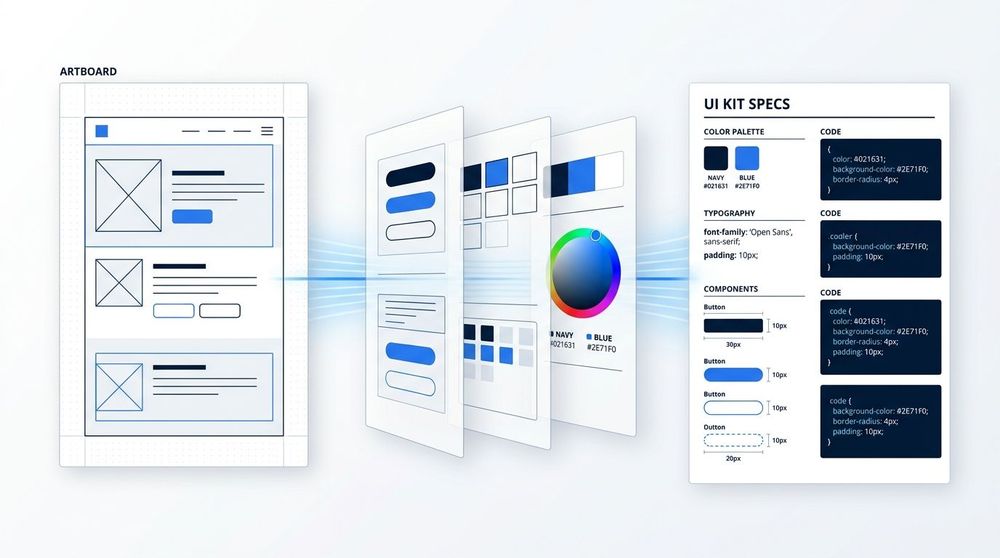
In a typical Sketch-based workflow, designers organize work into artboards within a single document. When a design is ready for development, plugins such as Zeplin or the built-in Sketch Handoff feature export assets and style data directly from those artboards. Developers can then inspect measurements, fonts, colors, and exported assets without needing to open Sketch itself. This pipeline reduces back-and-forth between disciplines and keeps design intent intact through the handoff stage.
Sketch occupies a well-defined niche in the UI design landscape: a macOS-native vector design tool built specifically for digital interface work, with a component model — Symbols and the newer Smart Layout system — that has influenced how the broader industry approaches reusable design assets. Its tight integration with the Apple ecosystem, from native rendering to iCloud and Apple Silicon support, makes it a natural fit for teams whose workflow is already centered on macOS. For those teams, Sketch offers a fast, focused environment that avoids the overhead of browser-based tooling.
Where Sketch faces headwinds is in cross-platform and distributed team contexts, where browser-based tools hold structural advantages around real-time collaboration and access. Its single-platform constraint is a genuine limitation that teams should weigh honestly against the tool's considerable strengths. For product and UI designers working in Apple-centric studios or agencies, however, Sketch remains a mature and capable choice with a long track record, an active plugin ecosystem, and a development team that continues to refine the product.
